
Many websites publish useful content but still struggle to gain visibility in search results. The problem often isn’t the quality of the content. It’s the way the pages are connected.
When pages are not linked properly, search engines may fail to discover them or understand how they relate to each other. As a result, important pages remain buried inside the site.
Internal linking best practices help solve this issue. In this guide, you’ll learn how internal links improve SEO, help AI-driven search engines understand your content, and strengthen your site’s overall search visibility.
Table of Contents
1. What Internal Linking Means in SEO
Internal linking refers to linking one page of your website to another page on the same website.
For example, a blog post about SEO tools may link to another article explaining keyword research. Both pages belong to the same domain, so the link is considered an internal link.
This is different from external links, which point to pages on other websites.
Search engines rely heavily on internal links because they use them to understand how pages connect. When pages link to each other in a logical structure, search engines can map the relationships between topics more accurately.
2. Why Internal Linking Matters for SEO
Internal linking plays several important roles in search engine optimization.
First, it helps search engines discover new pages. Crawlers move from page to page through links, so pages with internal links are easier to find.
Second, internal links distribute authority across your website. Pages that receive many internal links often become stronger candidates for ranking.
Third, internal links improve crawl efficiency. When pages are properly connected, search engine crawlers can navigate the site faster.
Finally, internal linking strengthens topic relevance. When related pages link to each other, search engines gain clearer signals about the main subject of your content.
3. What Is GEO (Generative Engine Optimization)
GEO stands for Generative Engine Optimization.
It refers to optimizing content so it can be understood and surfaced by AI-driven search engines such as generative search assistants and AI answer systems.
Unlike traditional search engines that mainly analyze keywords, generative systems analyze the relationships between information across multiple pages.
Internal linking helps establish those relationships. When related articles link to each other, AI systems can better understand how your site organizes information around specific topics.
4. How Internal Links Help AI and Search Engines Understand Your Site
Internal links act as contextual signals that show how different pieces of content relate to one another.
When a page links to another page discussing a related concept, search engines interpret that connection as a topic relationship.
Over time, these connections build a semantic map of your website. Search engines and AI models use this map to understand the broader topic coverage of your content.
This is why linking related pages together improves both traditional search visibility and AI-based content discovery.
5. How Internal Linking Passes Link Equity
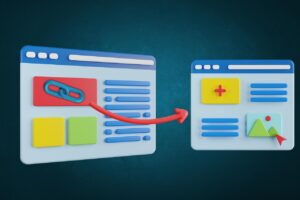
Link equity refers to the authority that flows through links.
When one page links to another, part of the linking page’s authority is passed to the destination page. This helps search engines determine which pages are more important within the site.
Pages that receive links from multiple strong pages tend to gain more ranking strength.
By strategically linking to important pages, you guide link equity toward the content that needs the most visibility.
6. Anchor Text and Its Role in SEO
Anchor text is the clickable text used in a hyperlink.
Search engines analyze anchor text to understand what the destination page is about. Descriptive anchor text gives clearer signals than generic phrases.
For example, an anchor like “WordPress internal linking guide” provides stronger context than “read more.”
Using varied but relevant anchor text also helps search engines interpret your content naturally without over-optimizing for a single phrase.
7. How Internal Links Improve Crawlability
Search engines use automated programs called crawlers to explore websites.
These crawlers follow links to move from one page to another. If a page has no internal links pointing to it, crawlers may struggle to find it.
Such pages are often called orphan pages.
A well-structured internal linking system ensures that every important page can be reached through links from other pages. This improves crawl paths and makes the entire site easier for search engines to index.
8. Internal Linking for Topic Authority
Topic authority develops when a website publishes multiple pages that cover different aspects of the same subject.
Internal linking strengthens this authority by connecting those pages together.
A common structure involves a hub page that covers the core topic and several supporting pages that explore specific subtopics. Each supporting page links back to the hub and may also link to related supporting pages.
This structure signals to search engines that the website provides comprehensive coverage of the topic.
9. Common Internal Linking Mistakes That Hurt SEO
Internal linking can improve SEO, but mistakes in implementation can weaken its impact.
Common issues include:
- Adding too many links in a single section
- Linking pages that are not contextually related
- Using vague anchor text such as “click here”
- Leaving broken internal links on the site
Fixing these issues improves both crawl efficiency and user navigation.
10. Tools That Help Manage Internal Linking
Managing internal links manually becomes difficult as websites grow.
Internal linking tools help identify linking opportunities across your content. They can suggest related pages, detect orphan pages, and report broken internal links.
Some tools also automate link suggestions inside your content editor, which makes maintaining internal links faster and more consistent. If you’re comparing options, see Link Whisper vs Linksy and Link Whisper alternatives.
These tools are particularly useful for large websites with hundreds of pages. For hands-on setup, you can follow how to use Link Whisper or explore internal linking automation.
Conclusion
Internal linking plays a critical role in how search engines and AI systems interpret a website.
By connecting related pages, distributing link authority, and strengthening topic relationships, internal links help search engines understand your content more clearly.
When used strategically, internal linking improves crawlability, strengthens topical authority, and increases the visibility of important pages in search results. If you want the practical checklist version, read internal linking best practices for SEO and GEO.
FAQs
Do internal links improve SEO rankings?
Yes. Internal links help search engines understand page relationships and distribute link authority across your site. This can improve the ranking potential of important pages.
How many internal links should a page have?
There is no fixed number. The right amount depends on the length of the content and how many relevant pages exist to link to.
Can internal links help AI search engines understand content?
Yes. AI-driven search systems analyze relationships between pages. Internal linking helps establish those relationships and provides context about how topics connect.
Do internal links pass link authority?
Yes. Internal links pass link equity from one page to another, helping search engines determine which pages are more important within the website.





How To Add an Internal Link in WordPress – Beginner’s Guide
[…] example, a blog post about WordPress SEO might link to a guide explaining internal linking for SEO and GEO. Since both pages belong to the same website, the link is considered an internal […]
Internal Linking Best Practices for Stronger SEO, GEO Visibility, and Conversions
[…] Internal linking solves this problem. It connects related pages so both users and search engines can navigate your website easily. […]
Linksy AI: Best Internal linking plugin? (A Review)
[…] From fixing Orphaned content to reinforcing Broken Links, Linksy can help you have an error-free internal linking structure. Plus, you can regulate your Anchor Texts which means ultimate control over problems like Keyword […]
Link Whisper Discount Code: $20 OFF (+ Set-up Guide)
[…] Having delivered the biggest Link Whisper discount code, here’s an overview of what the plugin has to offer when it comes to internal linking. […]
9 Best Link Whisper Alternatives- Perfect Replacements (Free/Paid)
[…] Alternatives keeps arising which on the one hand, is the wish of webmasters for a better tool for Internal Linking, and on the other hand, it’s nothing more than […]
Best Internal Linking Tools and Internal Linking Plugins WordPress (AI-powered)
[…] By easier, I mean – you no longer need to spend a huge amount of effort doing internal linking. […]
Link Whisper vs Linksy Plugin: Best Internal linking tool?
[…] one cancels the need to open your older pages for internal linking when you publish a new […]
Link Whisper Black Friday: $50 Discount (+ Lifetime Deal)
[…] Whisper is a game-changing internal linking tool for WordPress and […]
Link Whisper vs Internal Link Juicer: Best Internal Linking Plugin?
[…] I would like you to consider Link Whisper as one that covers everything internal linking. […]
How to Use Link Whisper to Automate WordPress Internal Links
[…] from suggesting interlinking opportunities, Link Whisper caters to every thing internal linking – From internal links breakdown and visualization (which lets you identify links on each […]
Top Internal Linking Plugins for WordPress: Which One Is Best in 2026?
[…] You can learn more about the importance of SEO internal linking. […]
Internal Linking Automation: Ultimate Guide (plus Tools)
[…] internal linking is still a thing as it correlates to position shifts on SERPs (either downward or […]
Internal Linking Guide for WordPress (Complete Beginner-to-Advanced Guide)
[…] example, a post discussing SEO strategies may link to a guide explaining internal linking for SEO and GEO. Since both pages belong to the same website, the link is considered an internal […]